
A 24-Hour Rolling Commercial…and How to Actually Use It
That little sticker button holds more than you think. Here's what everything actually does.
"I like to think of stories as 24-hour rolling commercials for your business."
Let’s talk about what I call the "24-hour rolling commercial” and how to use it. This may or may not apply to your business marketing strategy, and if not, maybe you’ll start or continue to leave it by the wayside, which is completely fine too! I believe in finding what works for you and your goals.
What are Stories?
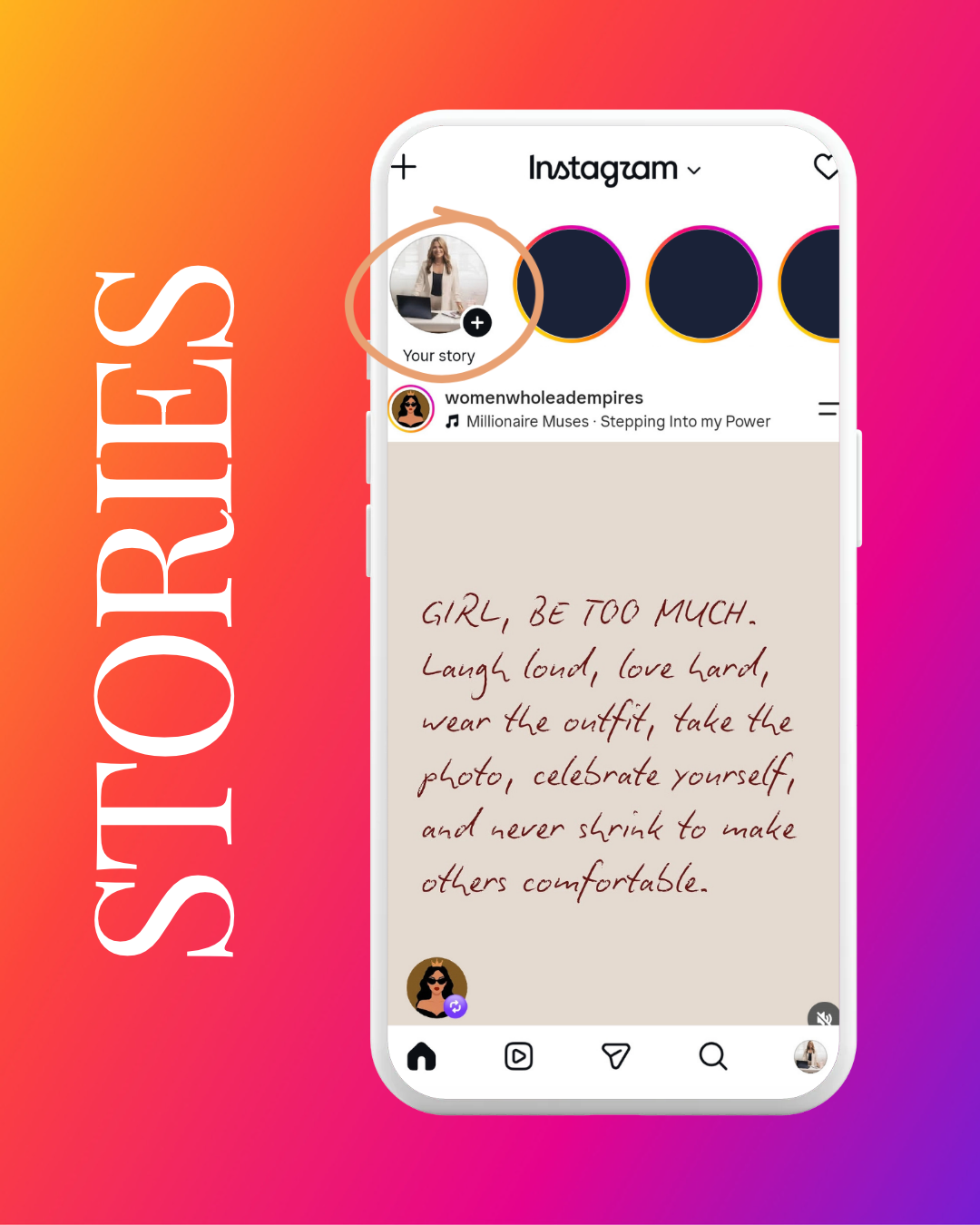
Quick refresher in case this is new to you, but “Stories” are those little round bubbles at the top of your Instagram app. They usually have a profile picture inside a colorful ring. Tap one and it shows a photo or quick video clip and is available for 24 hours.
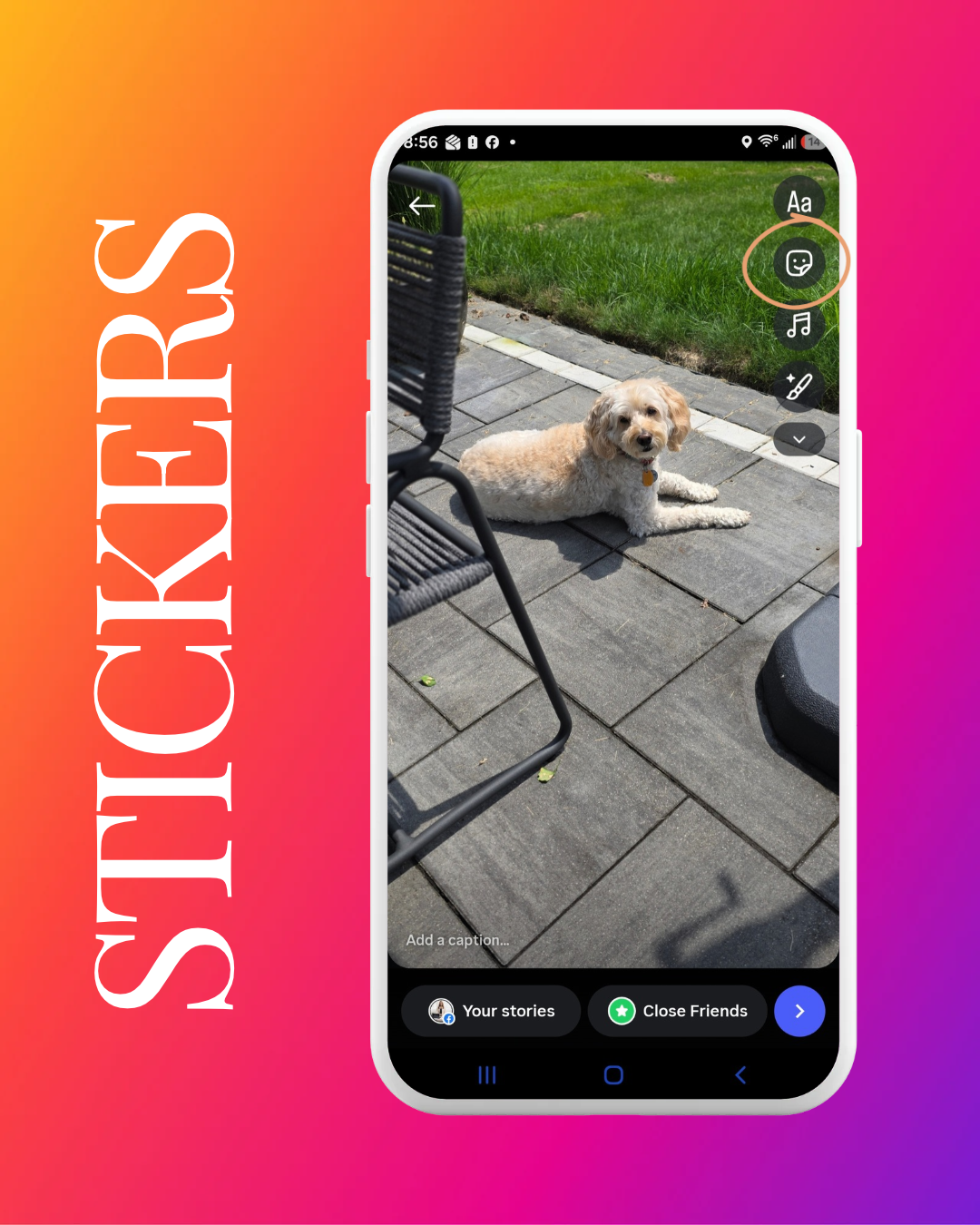
If you’ve ever posted a photo on your stories and called it a day, you have to read this. There is a whole toolbox hiding behind that little sticker icon on the screen and the majority of people just skip right over it.
Just a quick note before we really get into it. I always start on Instagram, and my Stories automatically flow over to Facebook too. Facebook does have Stories, but the feature set is a bit more limited over there. I have more fun with Stories on Instagram and just send them right over to Facebook. Win win!
Why Stories Matter
They are quick, nonpermanent, and a way to show the behind-the-scenes of your day in a more casual, authentic way.
They are perfect for small business owners because they don’t have to be formal. If you have an event to promote, add the registration link. Working on a project? Show what you’re working on! Feeling playful? Show your dog or your hobbies. Let your personality come through.
Some easy ways to get started if you don’t know where to begin:
Promoting an event or sharing a registration link
A quick behind-the-scenes look at what you're working on
Giving people a peek at your actual day-to-day activities and tasks. What running your business really looks like.
Don’t worry…none of this needs to be perfect.
My Confession About How I Use Stories
When I first started using Stories, I was told I needed to have 7 to 10 per day. I tried, I really tried, but I just could not keep up. For me, it was completely unsustainable. Some people love it and can sustain the constant posting on Stories. I love that for them, and it’s an amazing way to keep your audience engaged and keep eyes on your business. I, on the other hand, was drained and exhausted.
Where did I land? I use Stories to share a new blog post, a little bit about me personally, my actual interests, or an event I'm attending. I rarely get on there and just talk right now, simply because of time and workload…not because I wouldn't love to or couldn't build a whole content plan around it if I had the space in my schedule.
My point is there is no perfect way to do this. Whatever pace fits your life and your business is the right pace. If you can show up consistently, even in a small way, people start looking for that. and they start following because of it.
So what's actually in that sticker tray?
First, tap the sticker button.
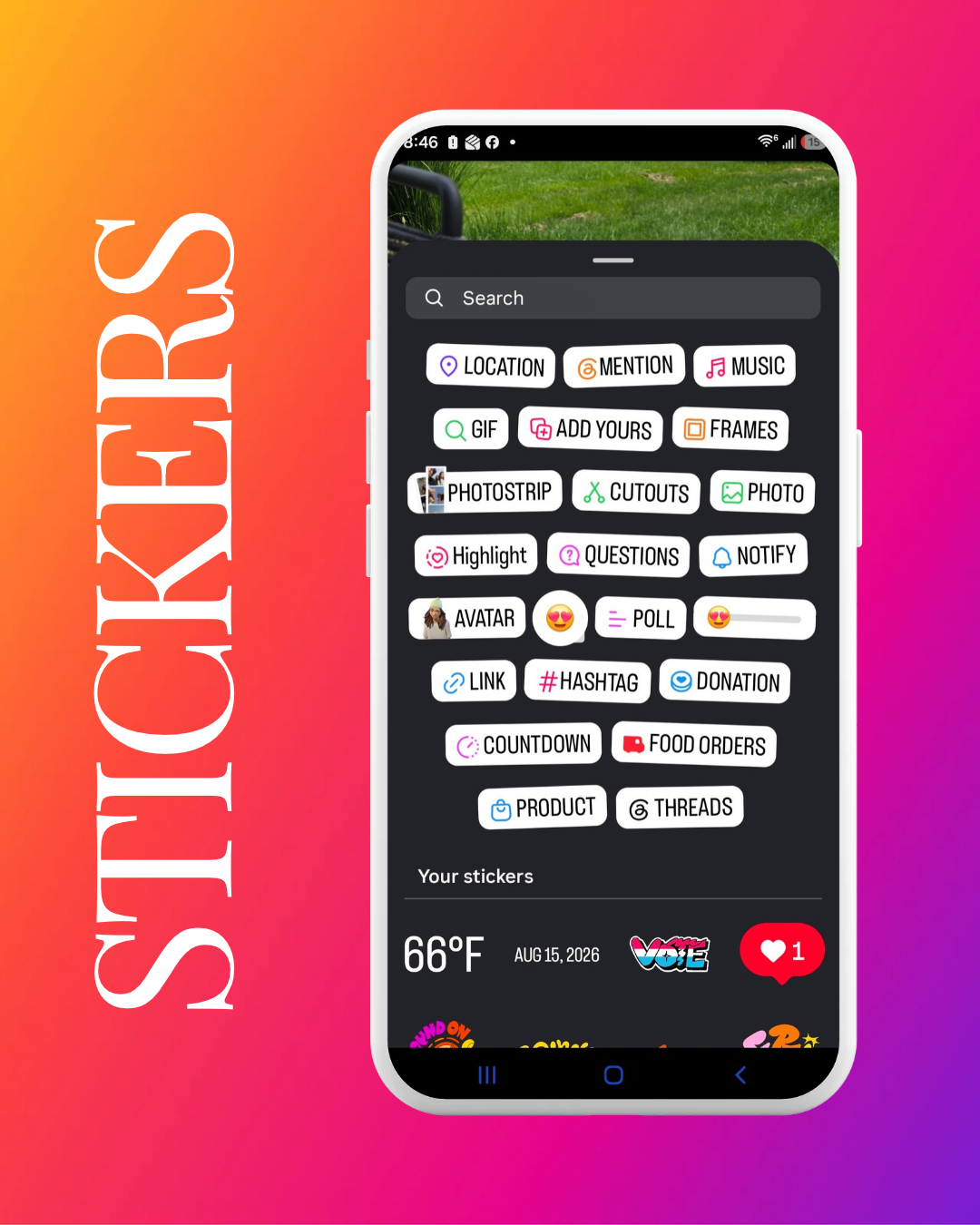
Here are a few of my favorites:
Location…tags where you are. This is great for local visibility. If you're at a Pittsburgh event or client site, this helps you show up when people search or explore that location.
Mention…tags another account. This is perfect for tagging clients, collaborators, or anyone you want notified (and who might reshare you to their own followers).
Music…adds a song clip to your Story. This helps set the vibe and I’ve learned that audio draws people in.
GIF…a quick animated sticker. This takes minimal time and effort, but adds a little personality and fun.
Poll…lets your audience vote or answer a quick question with a tap. This is simple, low-effort engagement that gets people interacting instead of just watching.
Link…attaches a clickable link right in your Story. This is perfect for a registration page, a blog post, or anything you want people to click straight through to.
Countdown…builds anticipation for an event, launch, or deadline. People can tap to get reminded when it's time.
Highlight…saves a Story permanently to your profile under a labeled cover in the Highlights section, so it doesn't disappear after 24 hours.
Questions…invites your audience to ask you something. This is a great tool for actual two-way engagement.
Let’s Wrap It Up
I've had a few questions about Stories lately, so I figured it was a good time for a little teaching moment. Hopefully this gave you a clearer picture of what's actually possible.
But always remember…what works for me doesn't have to work for you, and what works for you doesn't have to work for me or anyone else. There's no one-size-fits-all right way to do this. Give a few of these stickers a try, see what feels natural, and find your own rhythm. That's really all this is about! 🧡